Examples & Recipes
Practical guardrail configurations for the five most common use cases. Each recipe is complete — copy the config, pick the right template, and you're done.
Recipe 1: Read-Only Gmail#
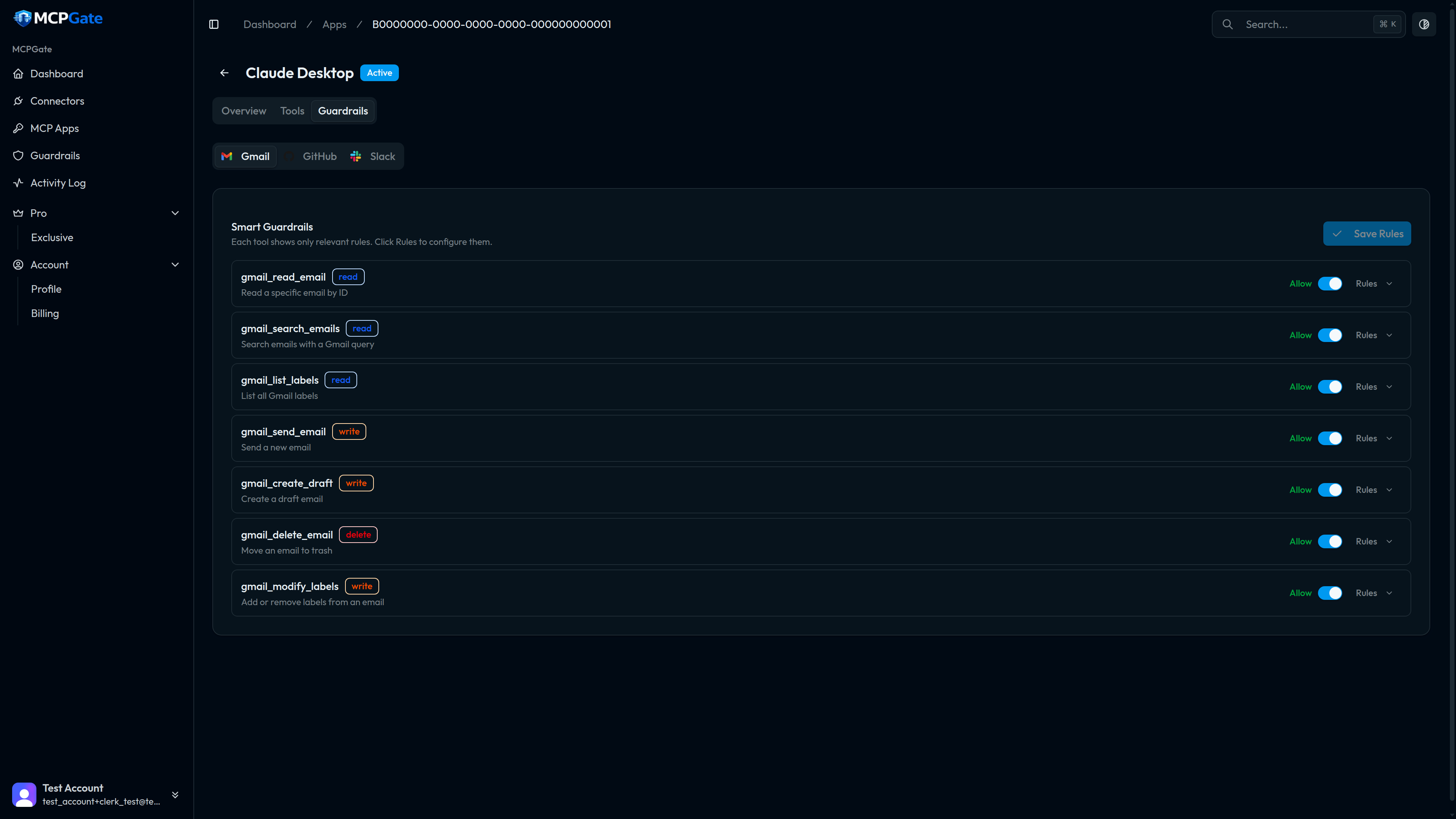
Use case: Let an AI assistant read and search your email — summarise threads, find invoices, draft responses for your review — but prevent it from ever sending or deleting anything.
Steps#
- Open the App → Tools tab.
- Enable:
gmail_read_email,gmail_search_emails,gmail_list_labels. - Disable (or leave off):
gmail_send_email,gmail_create_draft,gmail_modify_labels,gmail_delete_email.
No guardrail template is needed — disabling the write tools in the Tools tab is sufficient. The disabled tools are removed from the MCP tool list entirely, so the AI client can't even attempt to call them.
Tip
gmail_create_draft as well. If you want it to draft but not send, disable only gmail_send_email.Recipe 2: Block External Email#
Use case: The AI can compose and send email, but only to addresses within your company domain. Any attempt to email an external address is blocked before the Gmail API is called.
Steps#
- Enable
gmail_send_emailandgmail_create_draft. - Open the Guardrails tab → Add Rule to
gmail_send_email. - Select the
allow_domainstemplate. - Enter your company domain in the config.
- Repeat for
gmail_create_draft.
{"domains": ["yourcompany.com"]}Any tool call where the to, cc, or bcc fields contain an address outside yourcompany.com will be denied with a clear error message returned to the AI client.
Note
{"domains": ["yourcompany.com", "partner.com", "agency.io"]}Recipe 3: Protect Main Branch#
Use case: An AI coding agent can create pull requests, but it must never target main or production as the base branch. All PRs must go to a feature or staging branch.
Steps#
- Enable
github_create_pr. - Open the Guardrails tab → Add Rule to
github_create_pr. - Select the
protect_branchestemplate. - Configure with your protected branch names.
{"branches": ["main", "production", "release"]}MCPGate checks the base parameter of every github_create_pr call. If it matches any branch in the list, the call is denied. The AI must use a feature branch as the target instead.
Tip
force_draft: {} to also ensure all AI-created PRs require human review before they can be merged.Recipe 4: Block Confidential Keywords#
Use case: Prevent the AI from sending emails or Slack messages that contain words indicating sensitive content — catching accidental leaks before they happen.
Steps#
- Open the Guardrails tab → Add Rule to
gmail_send_email(and any other outbound tools). - Select the
keyword_blocktemplate. - Configure with your list of sensitive words.
{"keywords": ["confidential", "internal only", "do not share", "private", "attorney-client"]}The check is case-insensitive and matches substrings. If any keyword appears anywhere in the tool call's string parameters (subject, body, to, etc.), the call is denied.
Warning
Recipe 5: PII Detection#
Use case:Block any tool call — on any connector — that contains personal identifiable information. This is a compliance safeguard ensuring AI agents don't inadvertently relay personal data through MCPGate.
Steps#
- Open the Guardrails tab.
- Add a
pii_detectionrule to each outbound tool you want to protect (or use the account-level global policy for blanket coverage). - Configure the types of PII to detect.
{"types": ["email", "phone_us", "ssn", "creditcard"]}Available PII detection types:
| Type | What it detects |
|---|---|
| Email addresses (e.g. [email protected]) | |
| phone_us | US phone numbers in common formats |
| ssn | US Social Security Numbers (XXX-XX-XXXX) |
| creditcard | Credit card numbers (Luhn-validated) |
| ip_address | IPv4 and IPv6 addresses |
False positives
types list if needed.Combining recipes#
Multiple rules on the same tool are evaluated in order — all must pass for the call to proceed. You can stack, for example, allow_domains + keyword_block + max_recipients on gmail_send_email to get layered protection.
See the Rule Templates reference for the full list of available templates to combine.