Guardrails
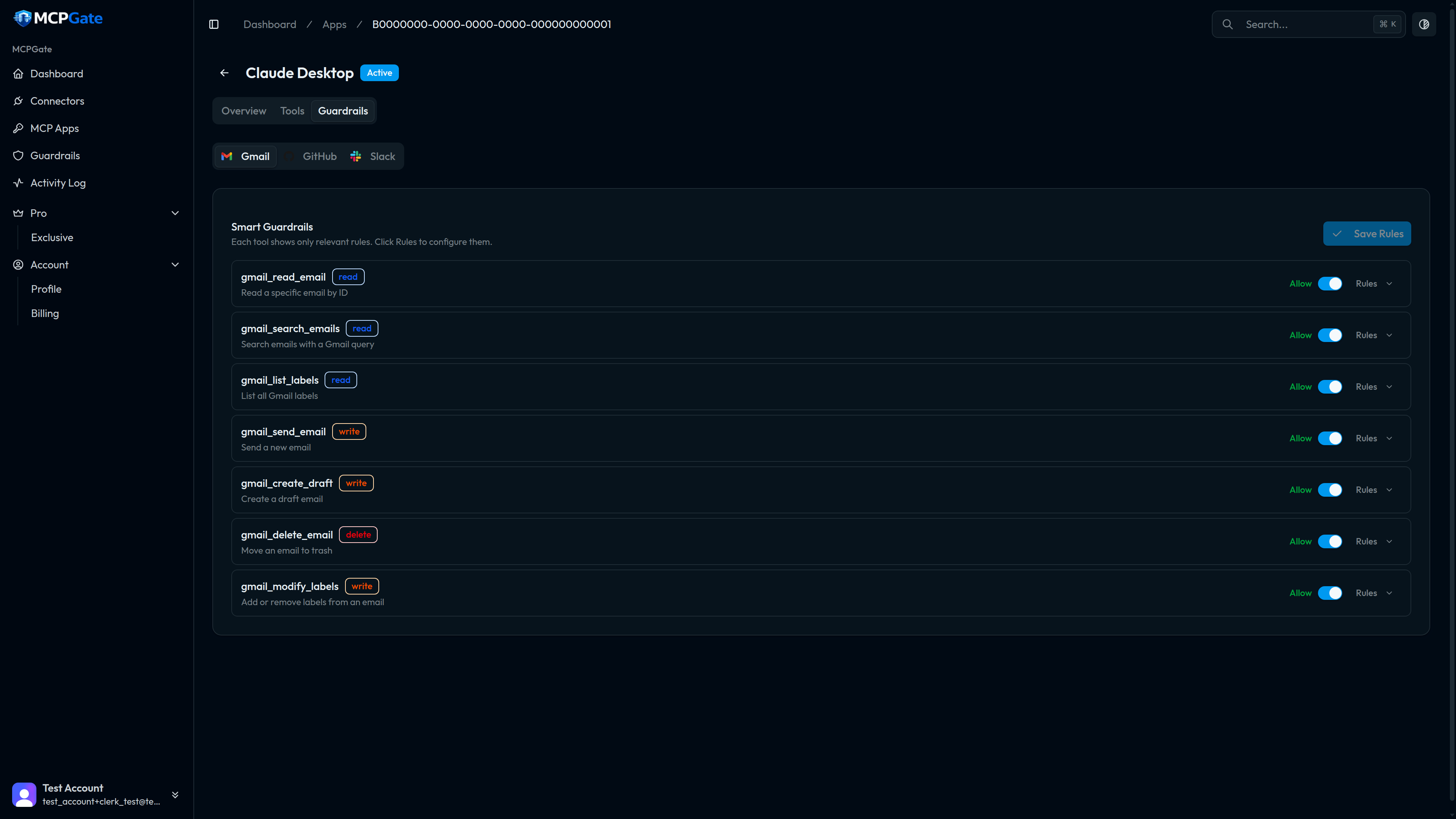
Guardrails are deterministic rules that control what each tool can do. They run on every tool call, before the underlying API request is made. If a rule denies the call, the request is blocked and the AI client receives an error — no data leaves MCPGate.
Not AI-based
What guardrails protect against#
Guardrails solve the problem of over-permissioned AI agents. Even if you trust the AI client, you may not want it to:
- Send email to external domains
- Delete production data
- Mention
@channelin Slack - Push to the main branch on GitHub
- Include PII in outbound messages
- Send more than N messages per hour
Guardrails make these constraints explicit and enforced, not just hoped for.
How to configure guardrails#
- Open an MCP App from the Apps page.
- Click the Guardrails tab.
- Find the tool you want to constrain.
- Click Add Rule and select a template.
- Fill in the template's configuration fields (e.g. allowed domains, blocked keywords).
- Save. Rules take effect immediately.
Evaluation model#
MCPGate evaluates guardrails in four layers, in order. Evaluation stops at the first deny:
| Layer | What it checks |
|---|---|
| 1. Tool enabled? | Is this tool toggled on for this app? If not, deny immediately. |
| 2. Global policy | Account-level rules that apply to all apps (e.g. PII detection). |
| 3. App policy | App-level rules configured in the Guardrails tab. |
| 4. Template rules | Per-rule template logic (keyword match, domain check, rate limit, etc.). |
This is a first-deny-wins model. If any layer denies the request, the tool call is blocked. Layers that allow do not override subsequent deny layers.
Rule templates#
MCPGate ships 32 built-in rule templates organised into 9 categories. Templates are parameterised — you configure them with a JSON object specifying the exact values to allow or block.
See the Rule Templates reference for the full list with configuration examples.
Examples and recipes#
See Examples & Recipes for step-by-step walkthroughs of the five most common guardrail configurations:
- Read-only Gmail
- Block external email by domain
- Protect the main branch on GitHub
- Block confidential keywords
- PII detection across all tools
Auditing guardrail decisions#
Every tool call — whether allowed or denied — is recorded in the Activity Log. Denied calls include the rule that triggered the denial, making it easy to debug misconfigured guardrails or investigate unexpected blocks.