Your AI just sent an email you didn't approve.
MCPGate makes sure that never happens again.
The only MCP gateway with deterministic, per-tool guardrails. No AI in the enforcement path. Same input, same result, every time. 90 seconds to set up.
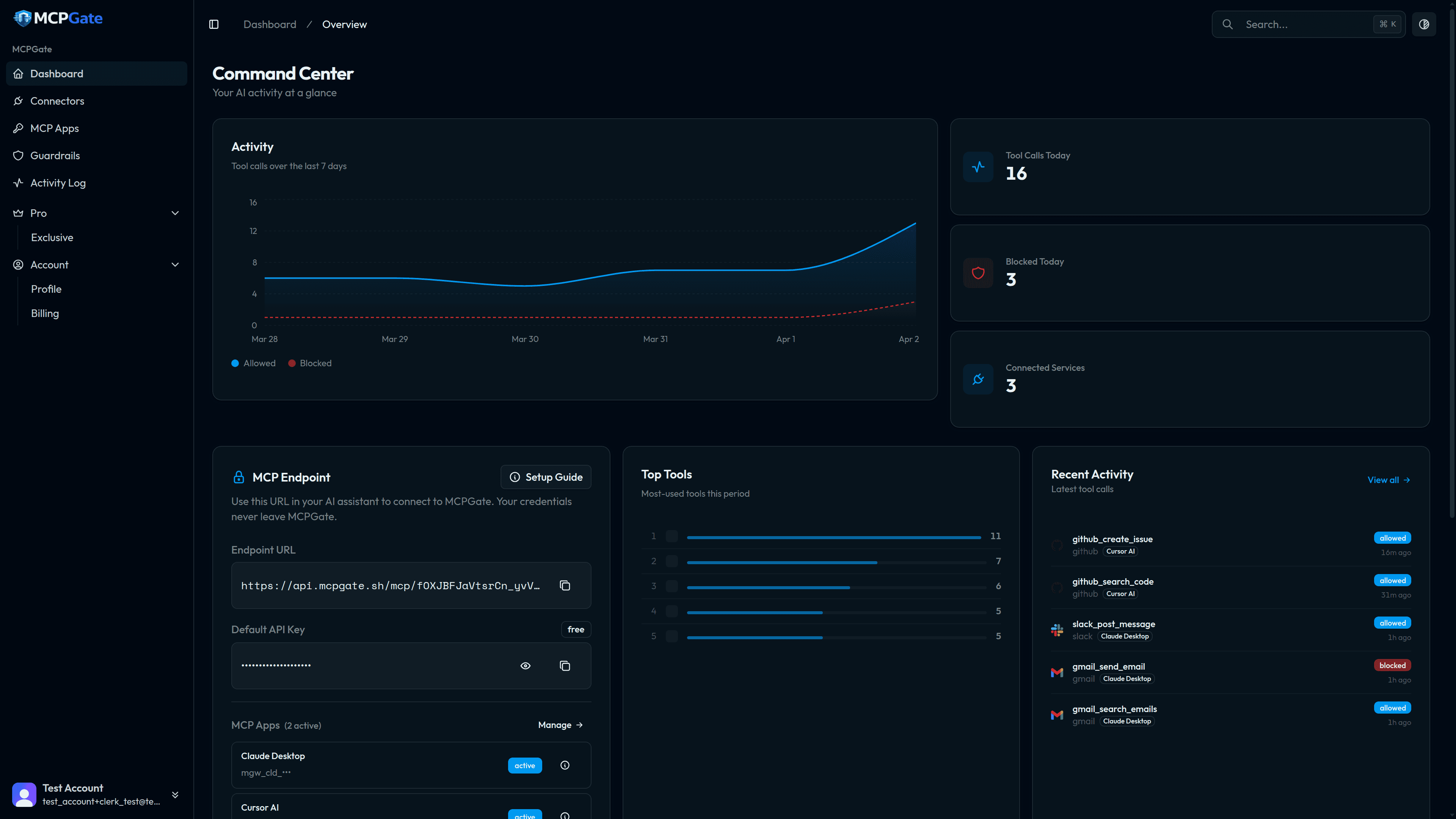
What happens when your AI goes too far?
A real scenario. Two outcomes.
Without MCPGate
- You connect Gmail to Claude
- You ask it to draft a reply to your colleague
- Claude sends the email — to your entire contact list
- With your client's confidential financials in the body
- No log. No undo. No one knows until it's too late.
With MCPGate
max_recipientsblocks sends to more than 3 peoplepii_detectioncatches the account numbersallow_domainsblocks any address outside your company- Activity log shows what was attempted and why blocked
- Your client never knows anything happened.
AI Agents Are Powerful. But Unchecked.
Most MCP setups leave you exposed in four ways. MCPGate fixes all of them.
Credentials in Plaintext
Your API keys sit in a JSON config file that your AI can read. One prompt injection away from full exposure.
All-or-Nothing Access
Connect Gmail and your AI gets read, send, AND delete. No way to allow read but block send.
JSON Config Hell
Trailing commas crash silently. Backslash escaping trips up Windows users. One wrong character breaks everything.
Zero Audit Trail
Your AI sent an email you didn't approve? No log. No record. No way to know what happened.
Set Up in Under 60 Seconds
Three steps from signup to your first secure AI tool call.
Connect
Link your services with a single OAuth click. No API keys to manage. No JSON to edit. We handle all the OAuth plumbing so you can get started in seconds.

Configure
Set per-tool rules: allow email read, block email send, detect PII, protect branches. 33 templates, zero code. Each MCP App gets its own independent guardrail policy.
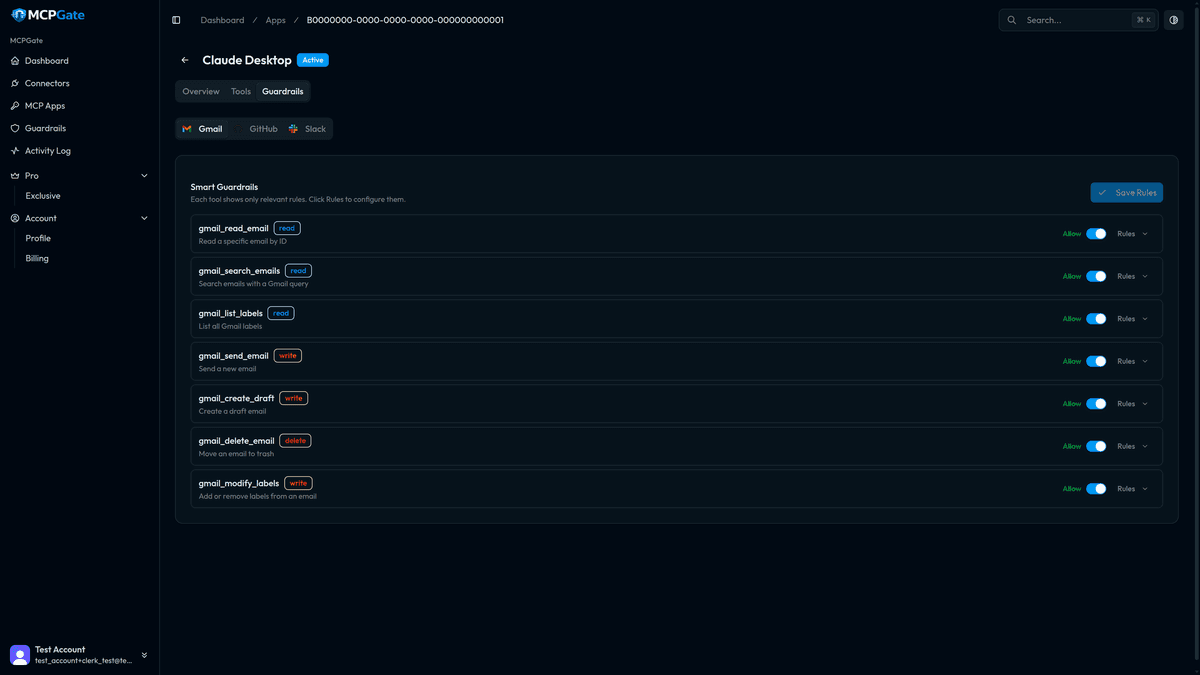
Paste & Go
Copy one URL into Claude Desktop. Your AI now has controlled, audited access to all your services. That's the entire setup.
{ "mcpServers": { "mcpgate": { "url": "https://mcpgate.sh/mcp" } }}
Deterministic Rules. Not AI Promises.
Other gateways use AI to detect violations — which means they can be fooled by clever prompts. MCPGate uses explicit allow/deny rules with no LLM in the decision path. Same input, same result, every time.
Other Tools
MCPGate
Email Controls
- Allow/block domains
- Max recipients
- PII detection
- Block external email
Access Control
- Per-tool allow/deny
- Protect values
- Block deletions
- Protect labels
Content Rules
- Keyword blocking
- Content length limits
- Block secrets
- Require prefix
Rate & Time
- Time windows
- Cooldowns
- Rate limits per tool
- Daily caps
33 Rule Templates · 9 Categories · Per-Tool, Per-App
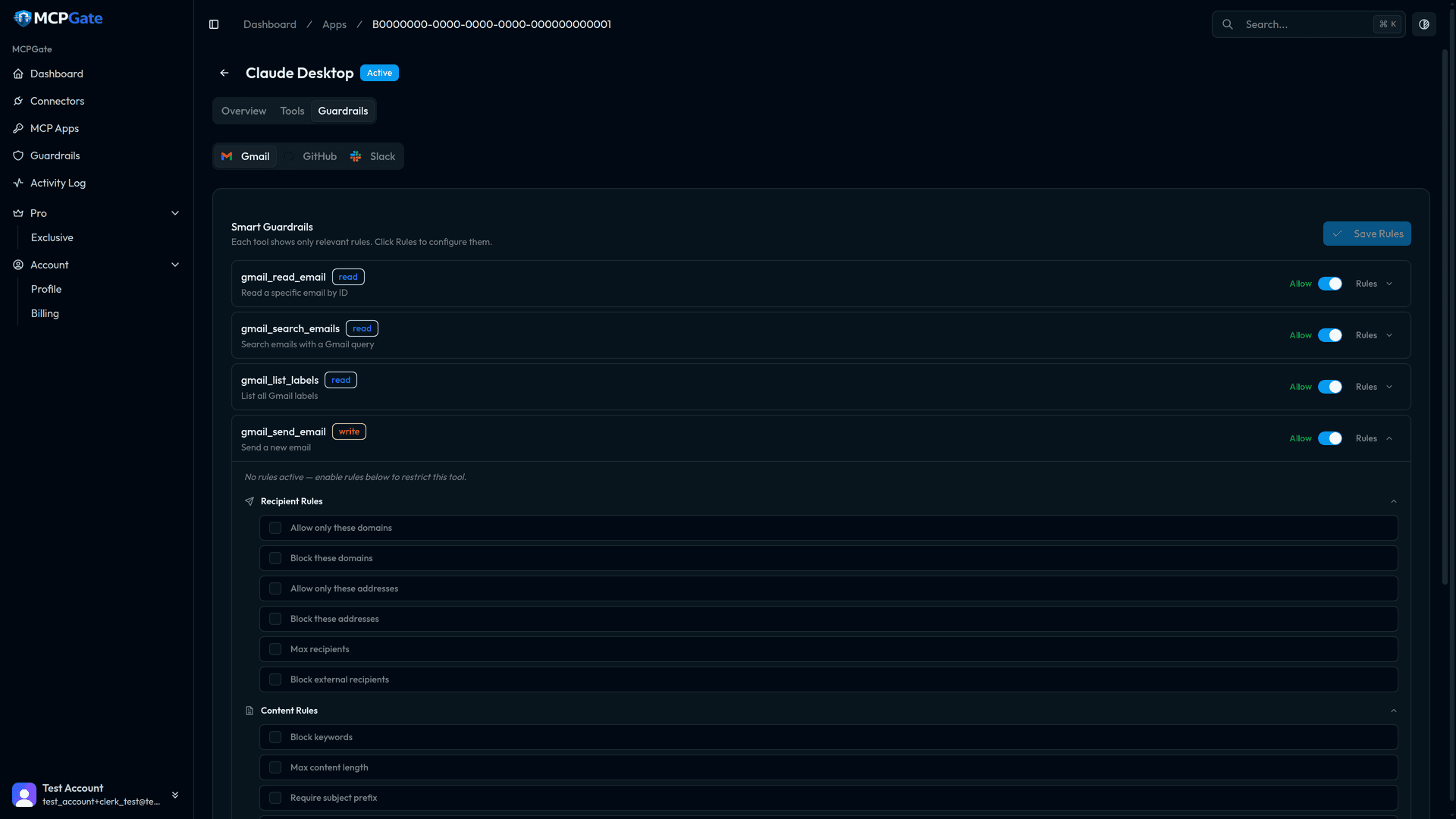
Different AI Clients. Different Rules.
Give Claude Desktop read-only Gmail while Cursor gets full GitHub access. Each MCP App has its own API key, tool permissions, and guardrail config.
Claude Desktop
Cursor AI
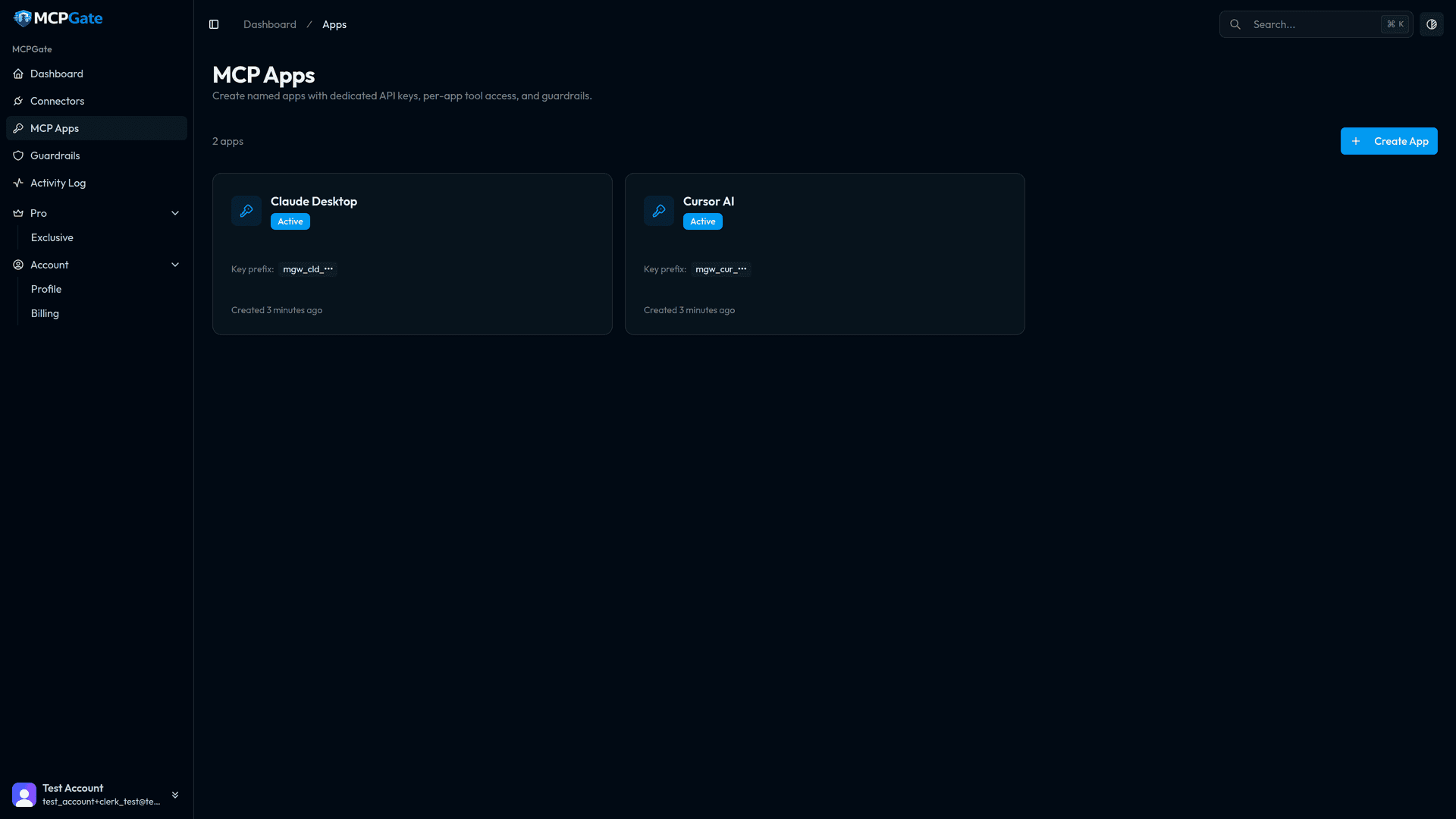
70 Connectors. 740 Tools. Production-Grade.
Not abandoned npm packages. Every connector is native Go, properly typed, rate-limited, and maintained.

Gmail
18 tools

Calendar
10 tools

Contacts
13 tools

Drive
15 tools

Sheets
10 tools
Docs
8 tools

Outlook
14 tools

Teams
12 tools

OneDrive
12 tools

OneNote
10 tools

Slack
8 tools

Discord
7 tools

Telegram
10 tools

9 tools

Twilio
9 tools

SendGrid
10 tools

Notion
7 tools

Trello
7 tools

Asana
8 tools

Airtable
11 tools

Todoist
10 tools

ClickUp
12 tools

Monday
10 tools

Basecamp
10 tools

Confluence
10 tools

GitHub
10 tools

GitLab
13 tools

Bitbucket
11 tools

Linear
8 tools

Jira
8 tools

PagerDuty
10 tools

Sentry
10 tools

Vercel
10 tools

Datadog
10 tools

HubSpot
8 tools
Salesforce
14 tools

Zoho CRM
11 tools

Pipedrive
11 tools

Freshdesk
11 tools

Dropbox
7 tools

Box
12 tools

GCS
9 tools

AWS S3
10 tools

Stripe
15 tools

QuickBooks
12 tools

Xero
11 tools

Mailchimp
11 tools

Twitter/X
10 tools
BambooHR
10 tools

Gusto
10 tools
Zoho Mail
10 tools
Zoho Books
12 tools
Zoho Projects
11 tools
Zoho Desk
12 tools
Zoho Invoice
11 tools
Zoho Campaigns
10 tools
Zoho People
11 tools
Zoho WorkDrive
12 tools
Zoho Sign
10 tools
Zoho Cliq
10 tools
Zoho Inventory
11 tools
Zoho Expense
10 tools
Zoho Billing
12 tools
Zoho Meeting
10 tools
Zoho Bookings
10 tools
Zoho Forms
9 tools
Zoho Sprints
11 tools
Zoho Recruit
12 tools
Zoho Analytics
10 tools
Zoho Creator
11 tools
Prompt Injection Can't Steal What Claude Never Saw.
Your API credentials are encrypted with AES-256-GCM envelope encryption and per-user keys. They're never returned in API responses and never enter the LLM's context.
Credential Vault
AES-256-GCM encryption with per-user data encryption keys. Credentials are encrypted at rest and in transit.
Zero Exposure
API keys never appear in tool call responses. The LLM literally cannot see your credentials — prompt injection has nothing to steal.
Full Audit Trail
Every tool call is logged with decision, arguments, block reason, and latency. Know exactly what your AI did.
How MCPGate Compares
| Feature | MCPGate | Composio | Zapier MCP | Portkey | Pipedream | MintMCP |
|---|---|---|---|---|---|---|
| Pricing | Free + $10/mo | $29/mo+ | Task-based ($$$) | $49/mo+ | $150/mo+ | Enterprise (opaque) |
| Guardrail Granularity | Per-tool, per-parameter | Account-level RBAC | Basic workflow checks | 50+ types | ✗ | Per-tool/user/dataset |
| PII Detection | Built-in | ✗ | ✗ | Yes | ✗ | Not documented |
| Credential Isolation | Never reaches LLM | Gateway-injected | Stored on servers | Gateway-managed | Encrypted at rest | Centralized vault |
| Audit Trail | Full (tool, args, decision, reason) | Basic | Enterprise only | Full traces | Business plan only | Full trails |
| Native Connectors | 70 (native Go) | 500+ (proxy) | 8,000+ (proxy) | LLM-focused | 3,000+ (proxy) | 10+ (proxy) |
| Self-Hostable | Yes (single binary) | ✗ | ✗ | Yes (OSS) | Yes | Yes (enterprise) |
| Setup Time | 90 seconds | Minutes | Minutes | Requires config | Minutes | Enterprise onboarding |
| Open Source | ✗ | ✗ | ✗ | Yes | ✗ | ✗ |
| Architecture | Single Go binary | Multi-service | SaaS | Gateway proxy | SaaS | Enterprise platform |
Simple, Transparent Pricing
No hidden fees. No enterprise sales calls. Start free, upgrade when you need to.
70
Connectors
740
Production Tools
33
Guardrail Rules
<100ms
Average Latency
Built by a Team That Secures Financial Infrastructure
CodeMax IT Solutions has been building ISO 27001-aligned fintech infrastructure since 2016 — core banking, AML systems, and compliance tooling for FCA-regulated institutions. MCPGate applies the same security-first engineering to AI tool access.
ISO 27001
Aligned Practices
Since 2015
Fintech Infrastructure
FCA Regulated
Client Base
CIN
U72200GA2015PTC007728
From the makers of Astra — core banking platform serving regulated financial institutions.
Frequently Asked Questions
Your AI Should Follow Your Rules.
Set Them in 90 Seconds.
Start for free. No credit card required.
Get Started Free →